
Script-based Budget
Get a full, line-by-line budget built from your script's production scope analysis, script breakdown and schedule, and priced from real rate guides for the USA, the UK and Australia.
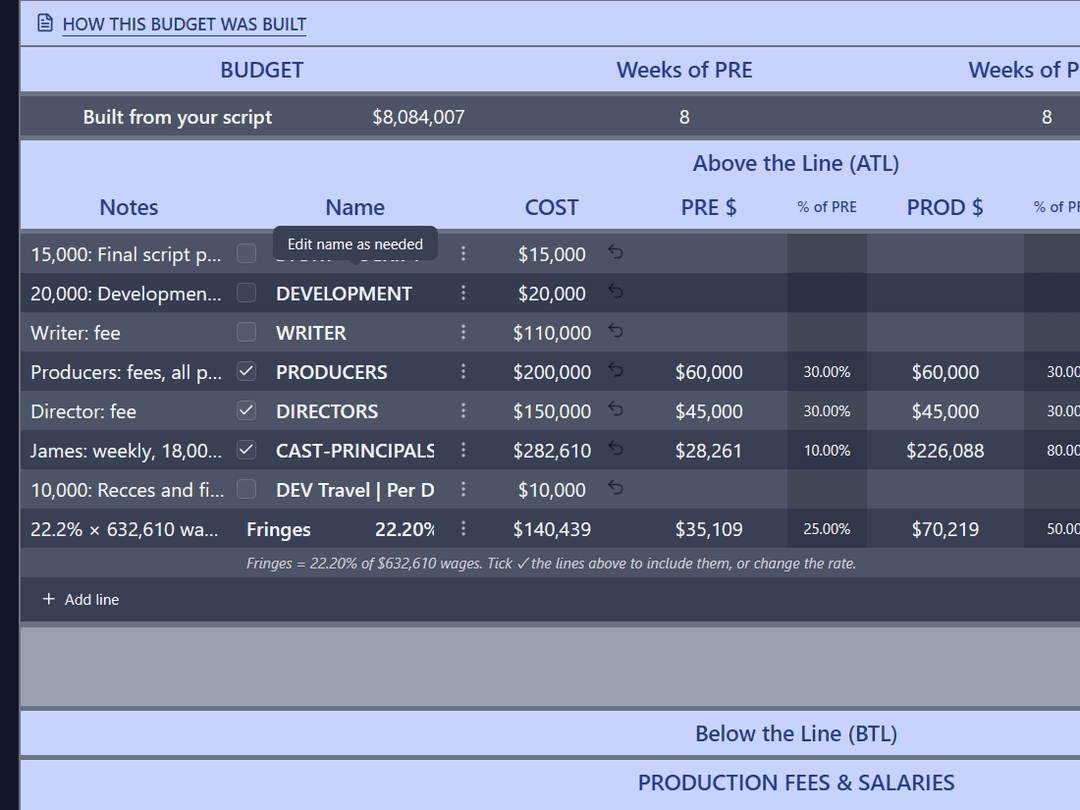
Four Steps to Your First Script-based Budget
Script-based Budget is included on Screen Ignite, Ember and Radiant. Start from a schedule you've made, or simply upload your script.
Open Script-based Budget
Choose your schedule
Choose your country
Review your budget
Good to Know
Every line explained
Each line's note shows how it was worked out, such as weeks, rates and loadings, so you can check it and explain it to investors.
Flags, not guesswork
Lines that are unusually large for a film of your size are marked as a significant cost element, so you know where to look first.
Works across loqyn
Use it with your Finance Plan, Qualifying Rebates and Location Value, let your Cash Flow fill itself in from its schedule, and track spending in your Cost Report.
Separate from your Target Budgets
Script-based Budgets don't count toward your Target Budgets, so you can keep both side by side.
Script-based Budget Questions
Common questions about building a budget from your script with loqyn.